Recube Ltd. • 2023
Design Guildlines
UIUX Design
B2C
Start up
Background
My main task during the internship at Recube Ltd, a reusable tableware service provider, is to revamp their current web app UI UX. I start off by identifying some user pain points and analysing the existing app. Follow by some competitive analysis and finally iterate the design base on feedback from the stakeholder.
Chanllenges
As-is
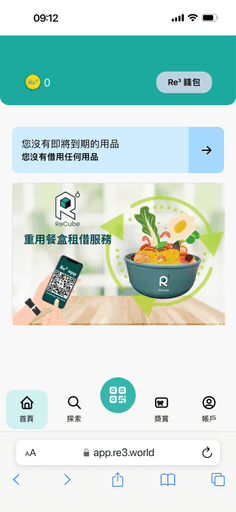
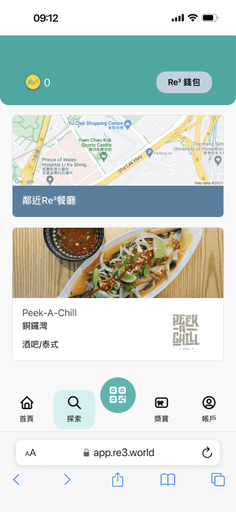
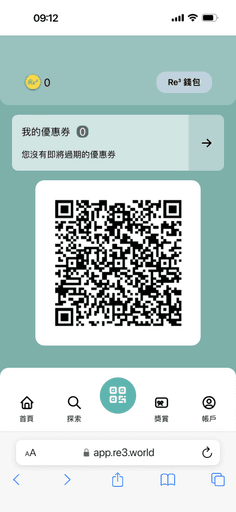
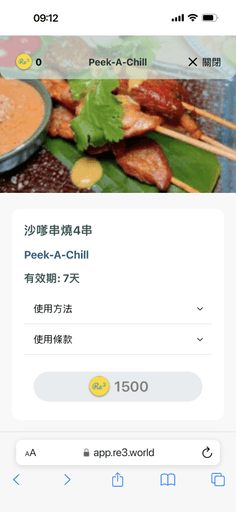
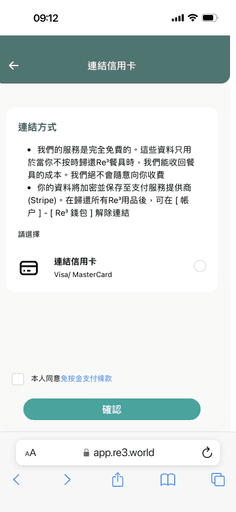
The pain points include:

Inefficient navigation and information architecture
Important page such as "My Coupon" is hard to access while less important page like wallet is put in prominent area. Also home page is too blank without much content.
Troublesome borrow/return process
Restaurant staff's feedback suggest it's annoying to scan the user QR code, especially during peak hour where staff is extremely busy
High drop-off rate during add payment
User feel hesitate and insecure to add payment method, which block them for using the service.
Design Process
Visual Update
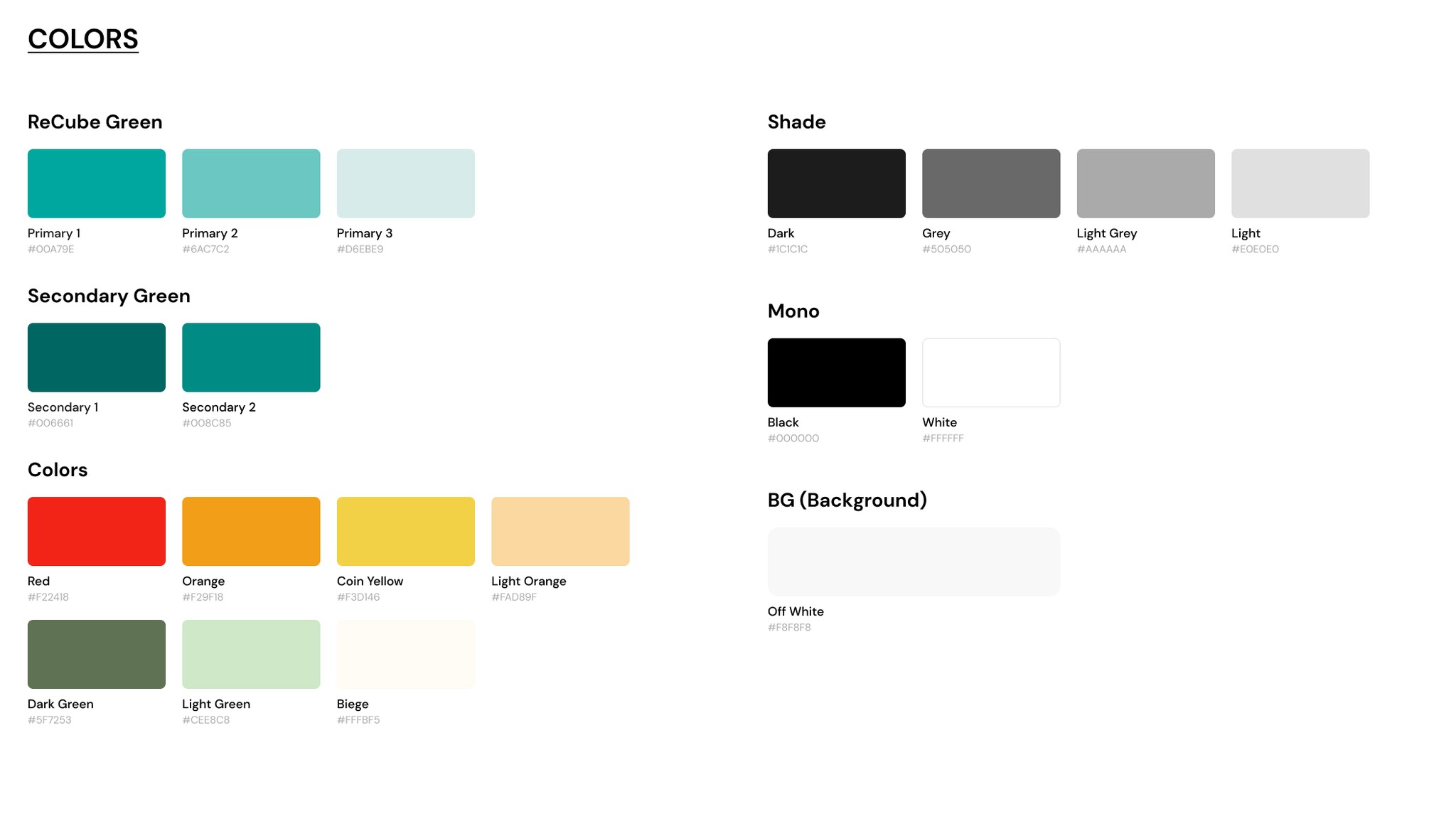
The first task is to set up a simple design guideline. I consolidate the colors and font system and create a library inside Figma.
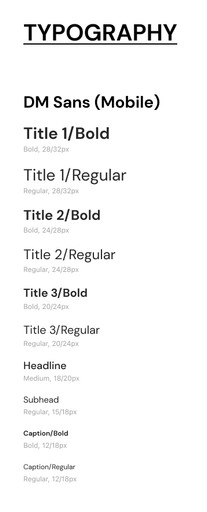
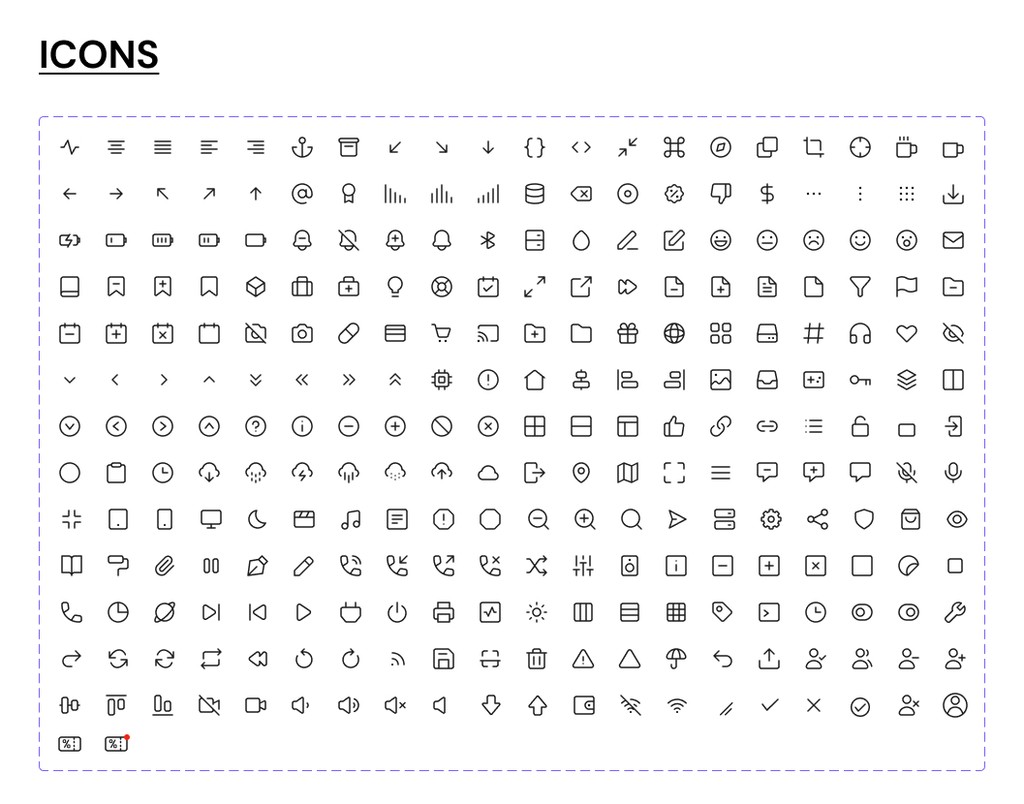
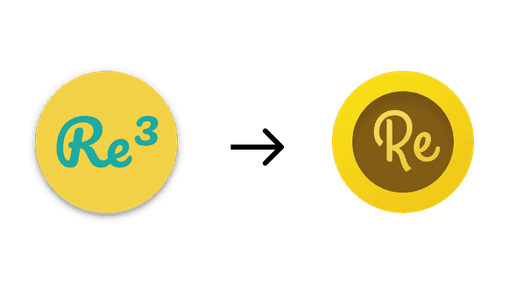
On top of that, I updated the icon set for the Recube brand and redesigning the ReCoin logo, used in the rewarding scheme.
Redesigning Information Architecture
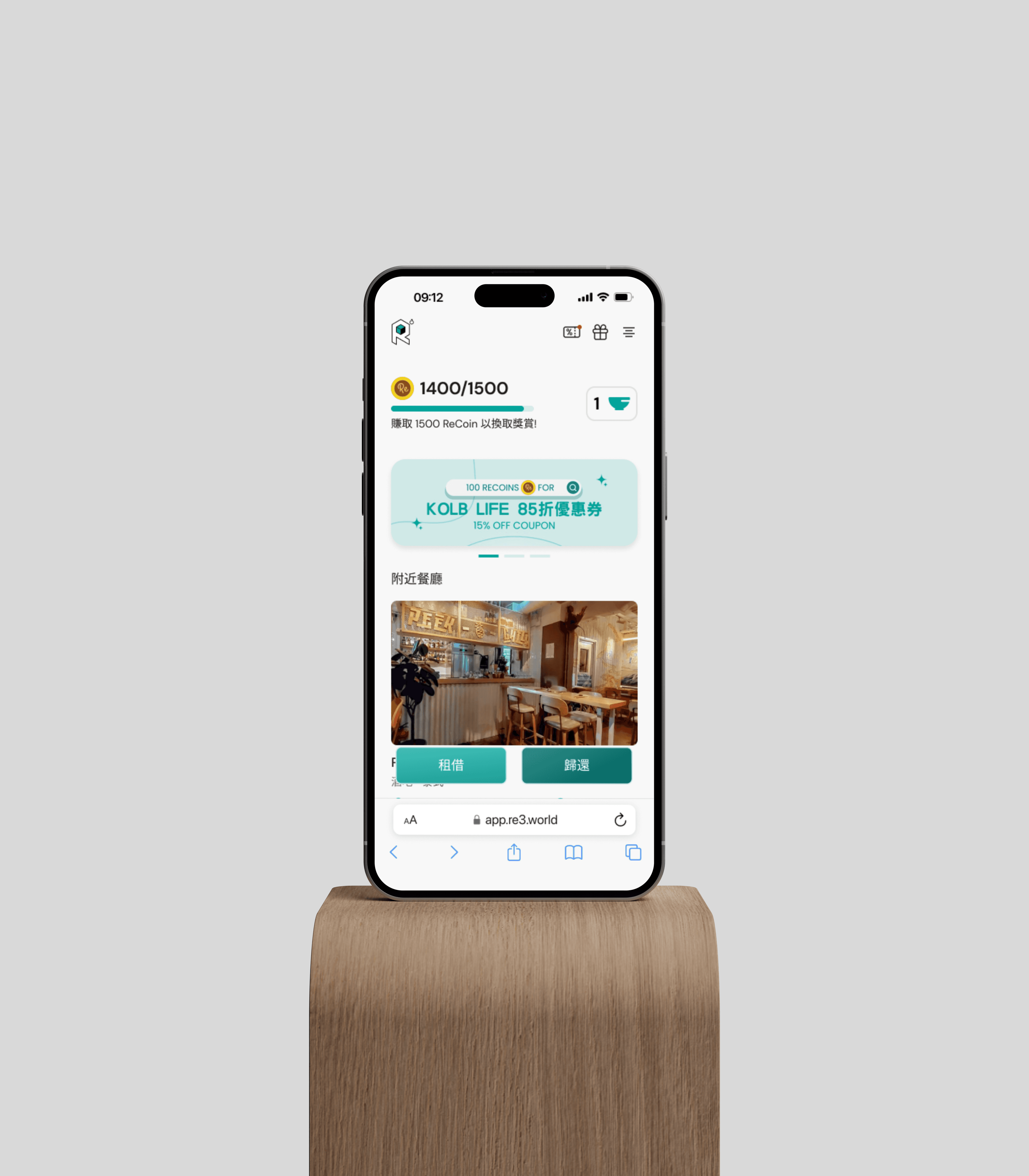
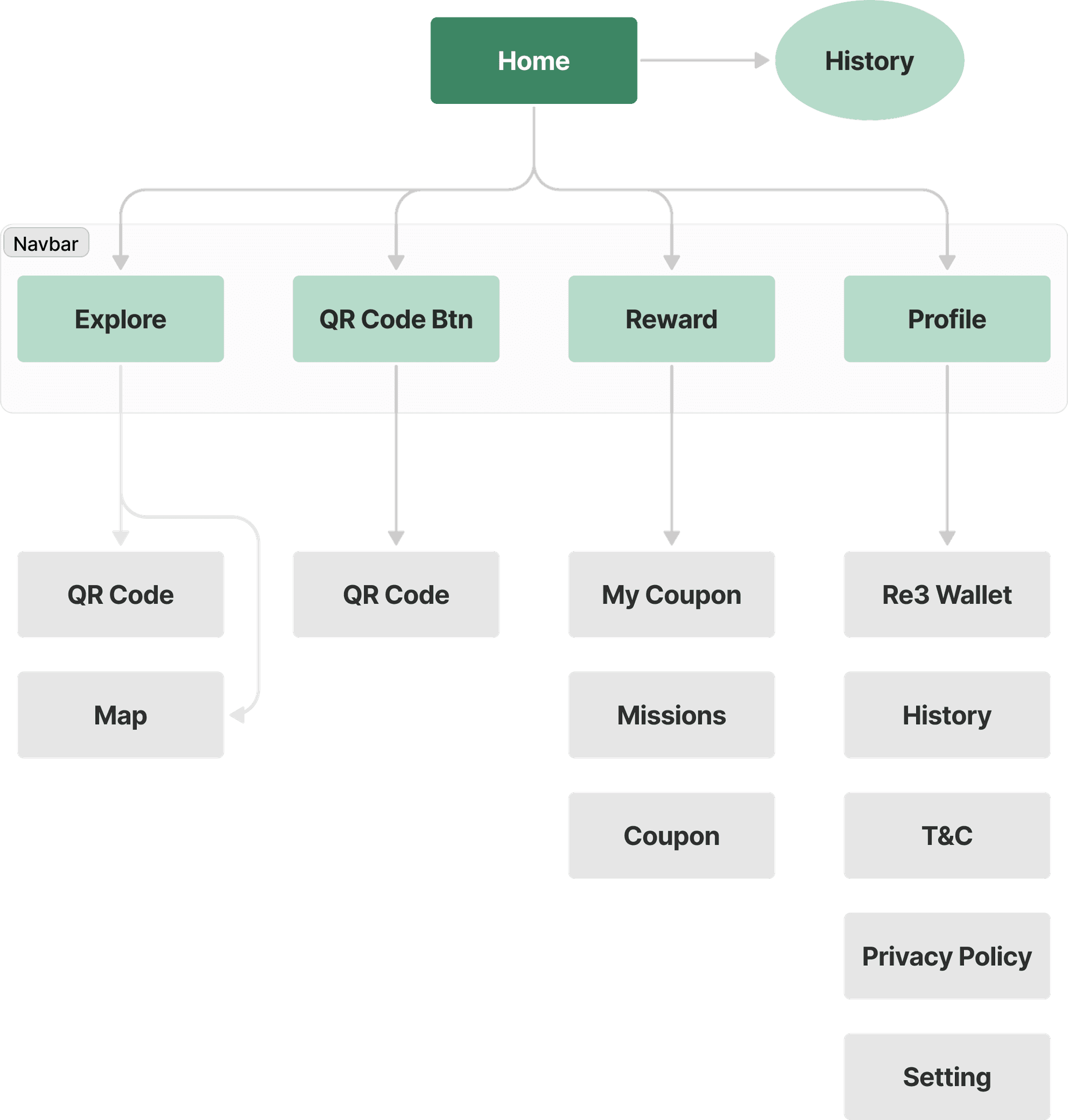
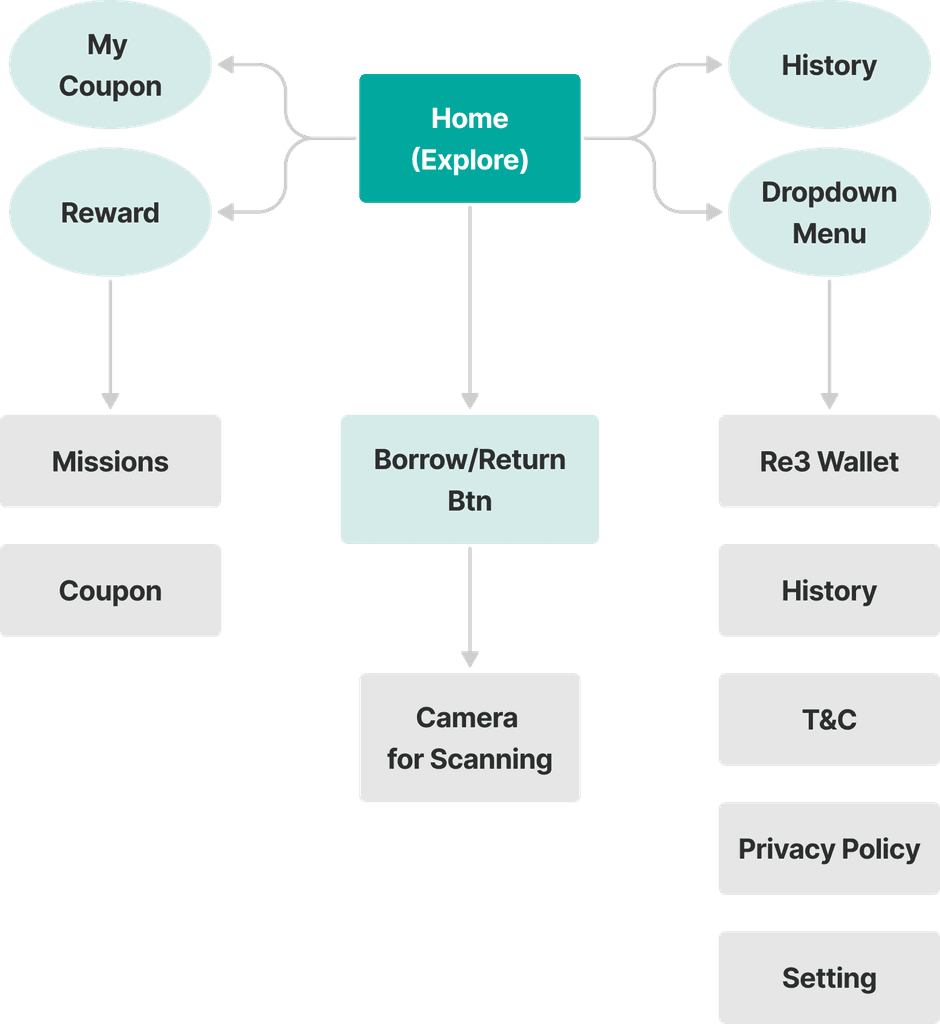
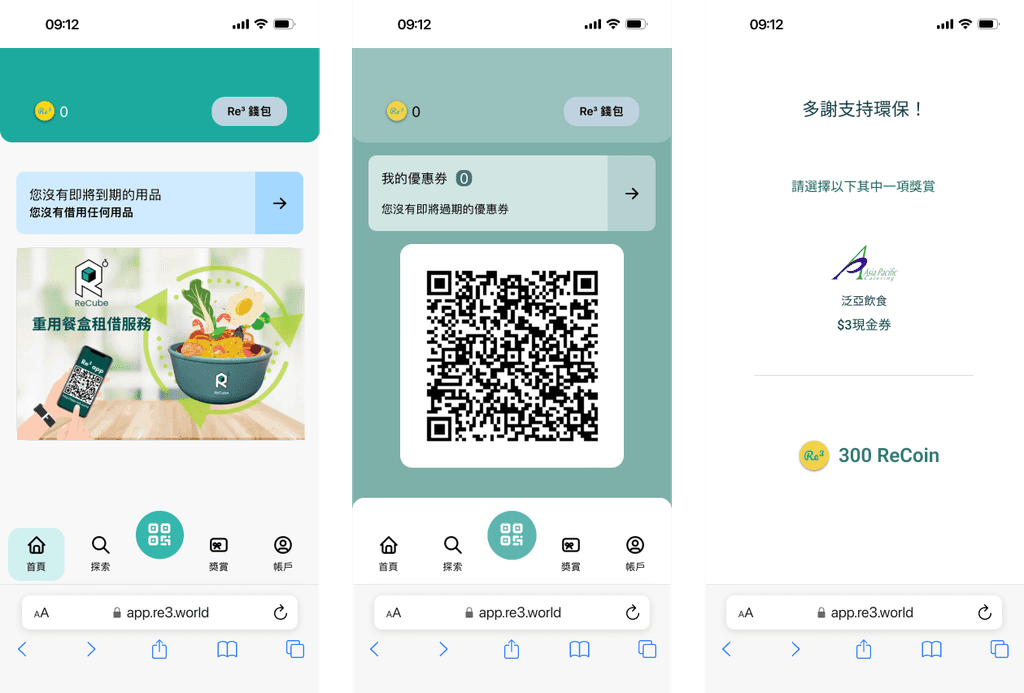
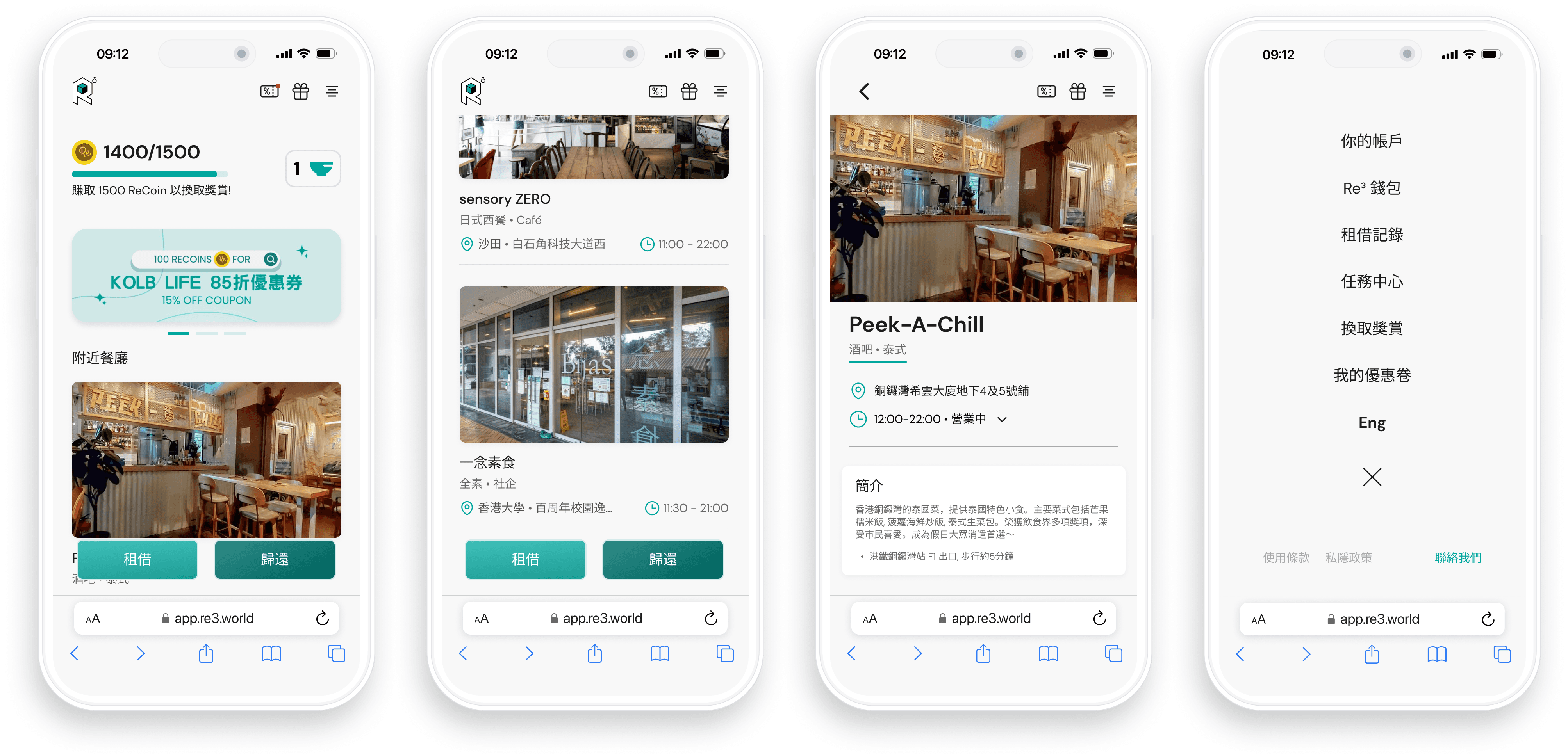
Next, to address the challenges about navigation and IA, I decide to redesign the IA to a more efficient way. Since this is a web app, a Navbar approach seems space consuming and left a small viewable spaces for user. Therefore as seen in below diagram, I reassign the navigation to a more intuitive way. Where Navbar is removed and user can now directly access features like "My Coupon", "Coupon" and "History" in home page. Also borrow/return button is well labeled with text.
As-is
New
New Borrow/Return Process
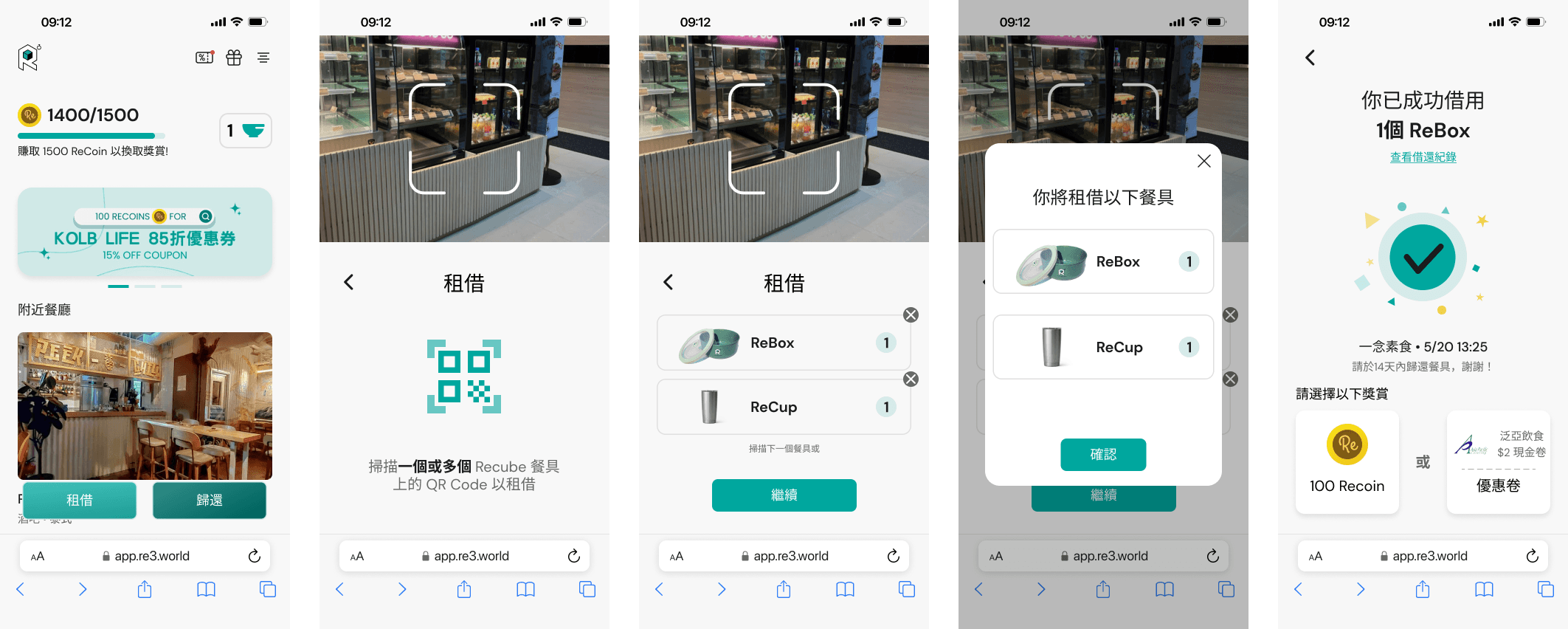
In light of restaurant's feedback where they feel troublesome to scan user's QR code, we decide to reference our competitor's borrow/returning process. The new flow become user scanning the tableware to borrow/return.
As-is
New
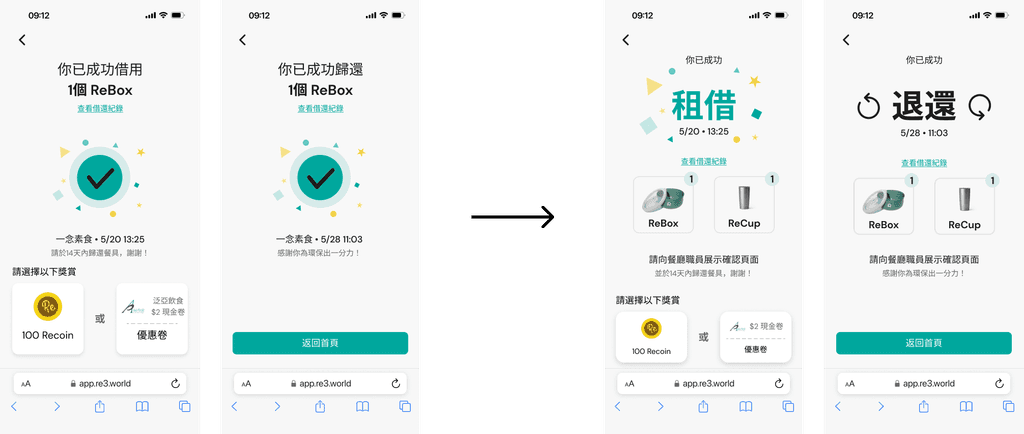
Iteration
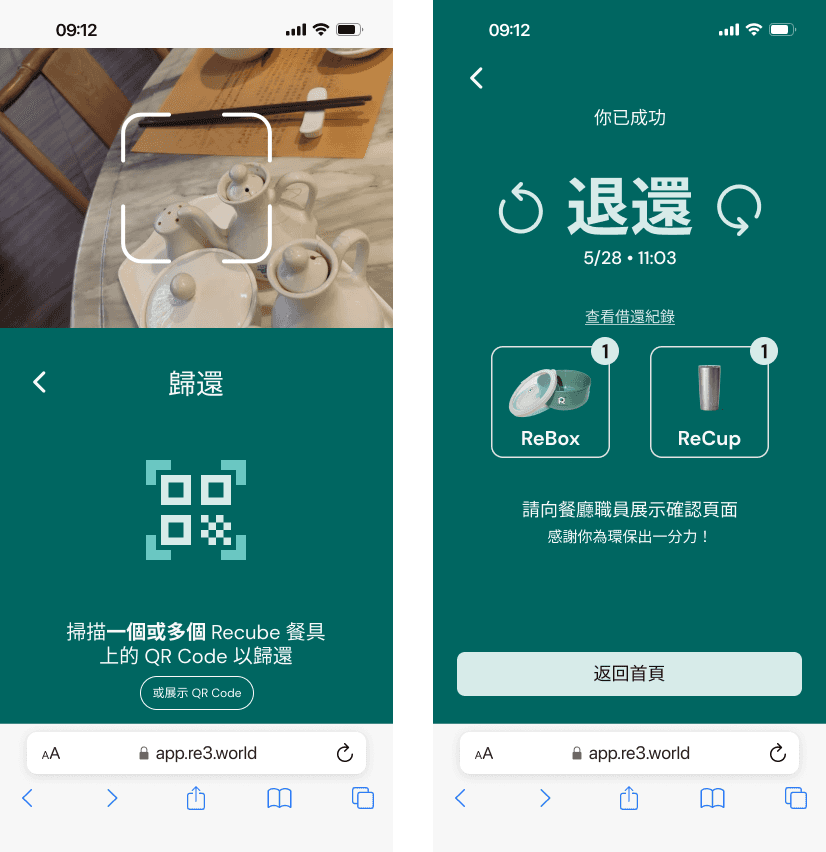
Concern regarding borrow and return confirmation screen seems alike is raised, which may affect restaurant staff ability to check whether user had successfully completed the action. Therefore, I iterate the screen to a version where the word "BORROW" and "RETURN" is now prominently displayed to help restaurant staff identify user's completion of action.
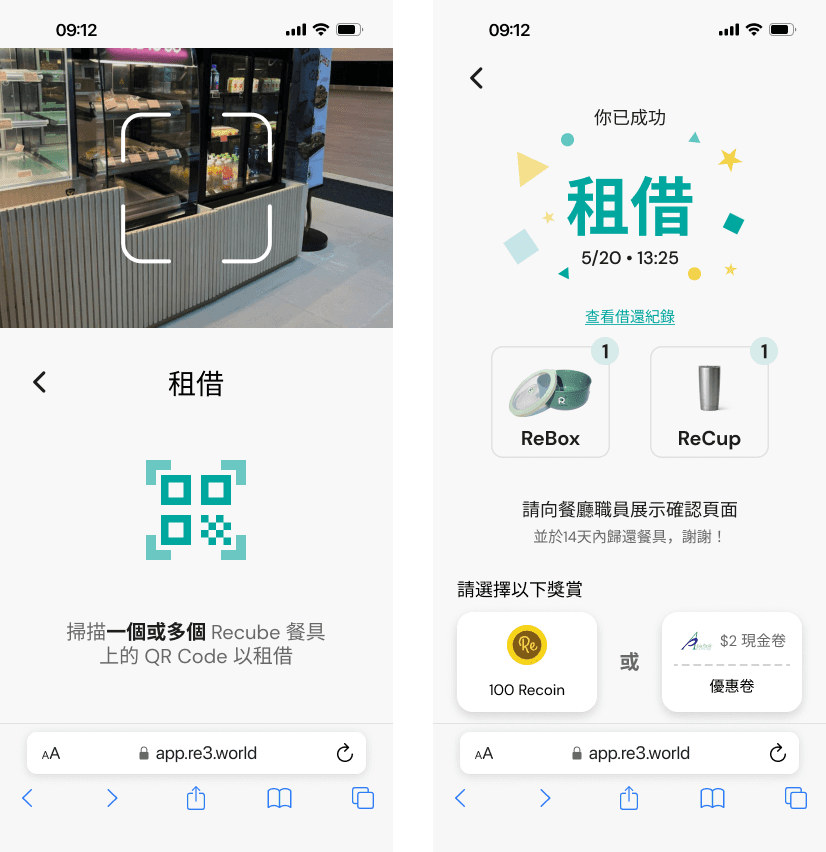
After some discussion on this iteration, considering restaurant staff may need to view the screen in a distance and not noticing the detail wording on screen. We want make things clearer between borrow and return process. Therefore we changed the background colour of the two process for the final iteration.
"BORROW" being white and "RETURN" being dark green.
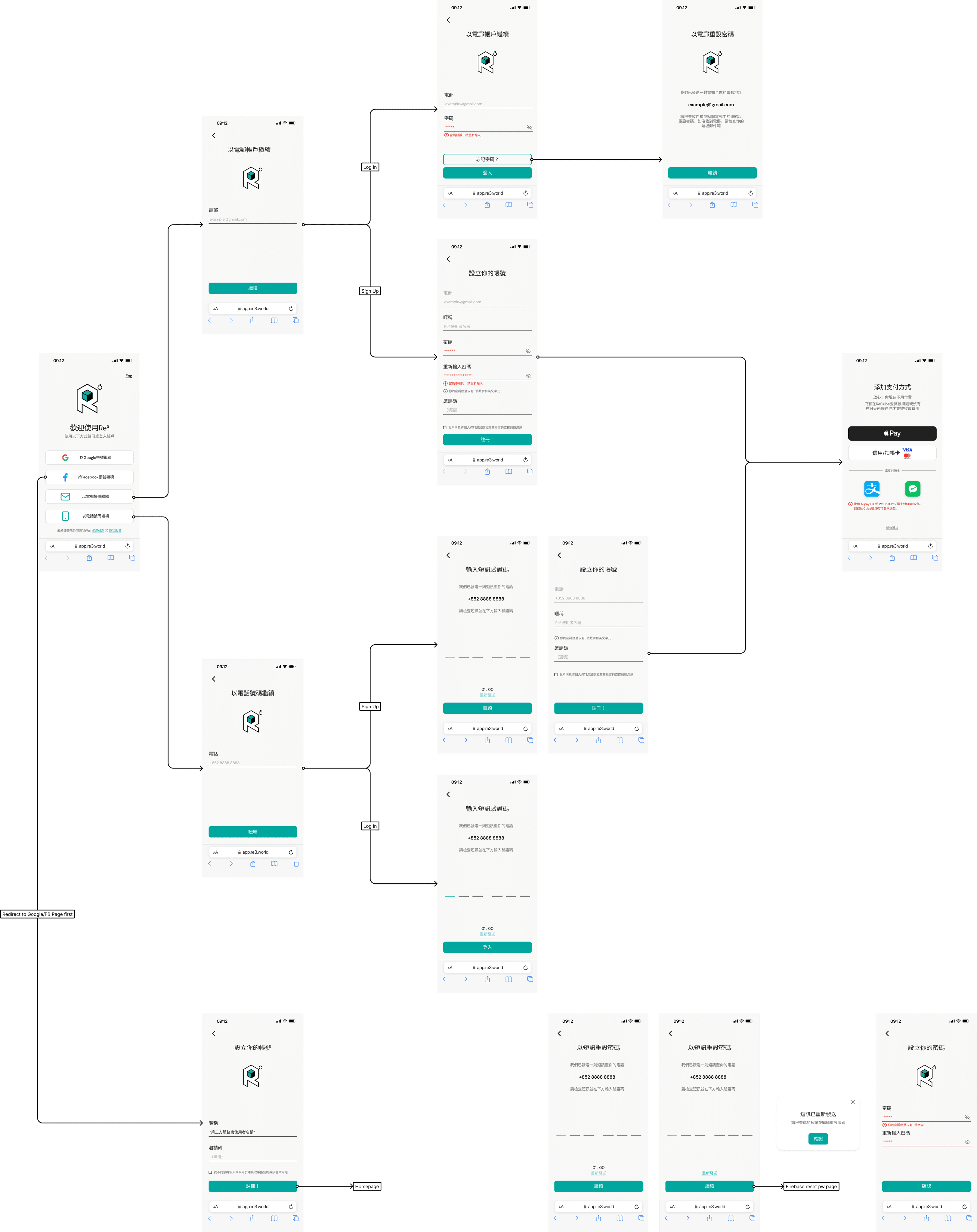
Design Showcase
Onboarding
Home Page
Restaurant detail and drop-down menu
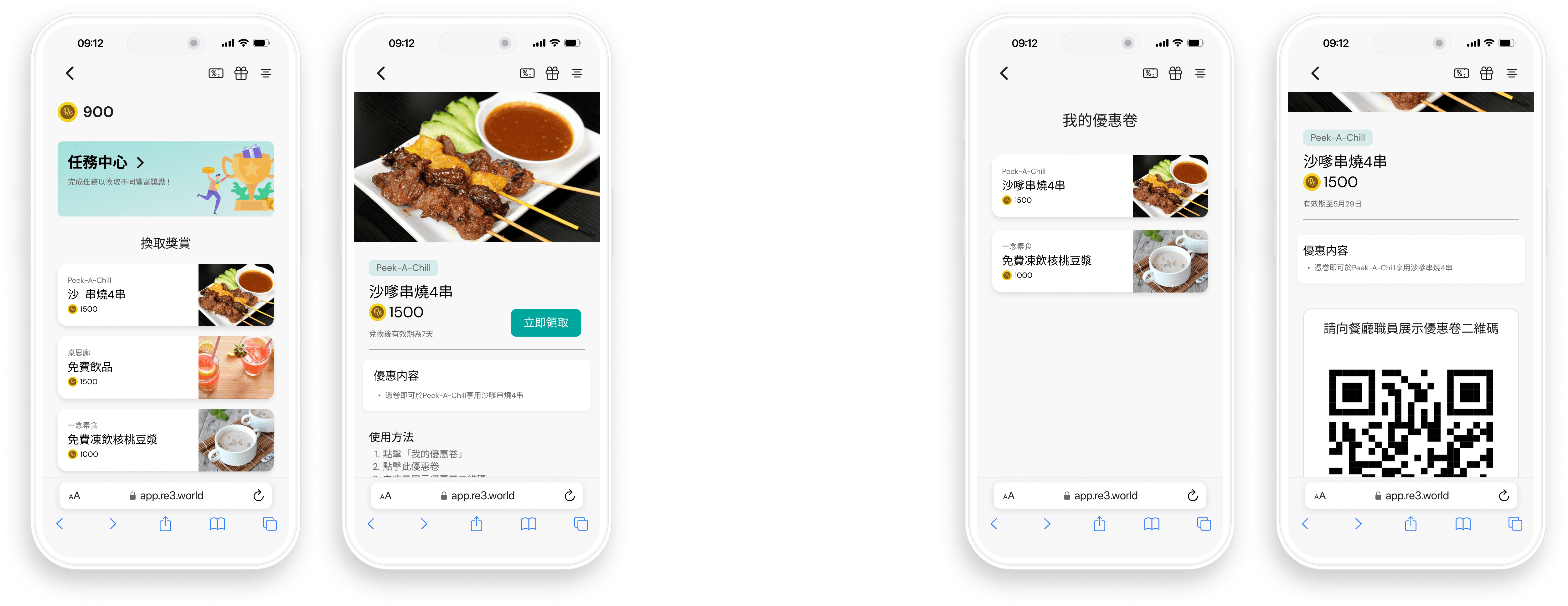
Reward Page
Place to view coupons details
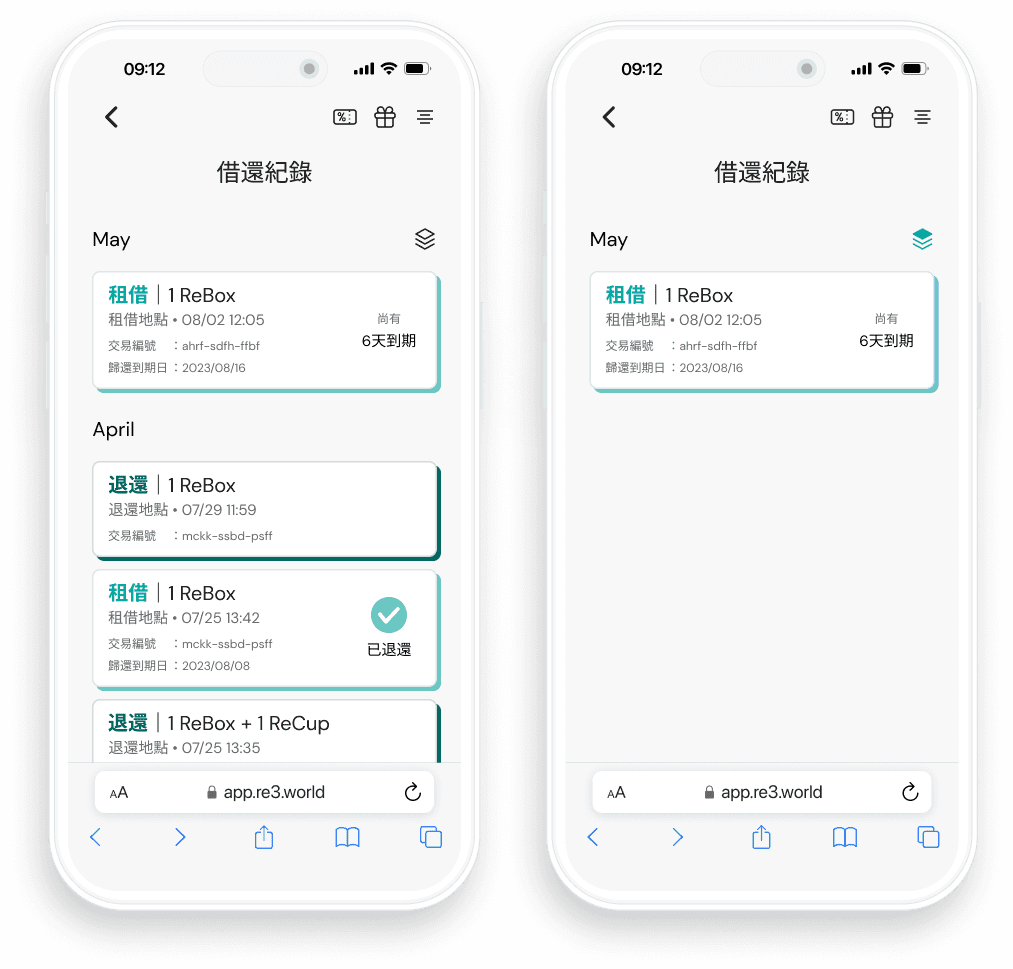
Borrow/Return History
Include filter Button to Show Un-Return Item
e-Wallet
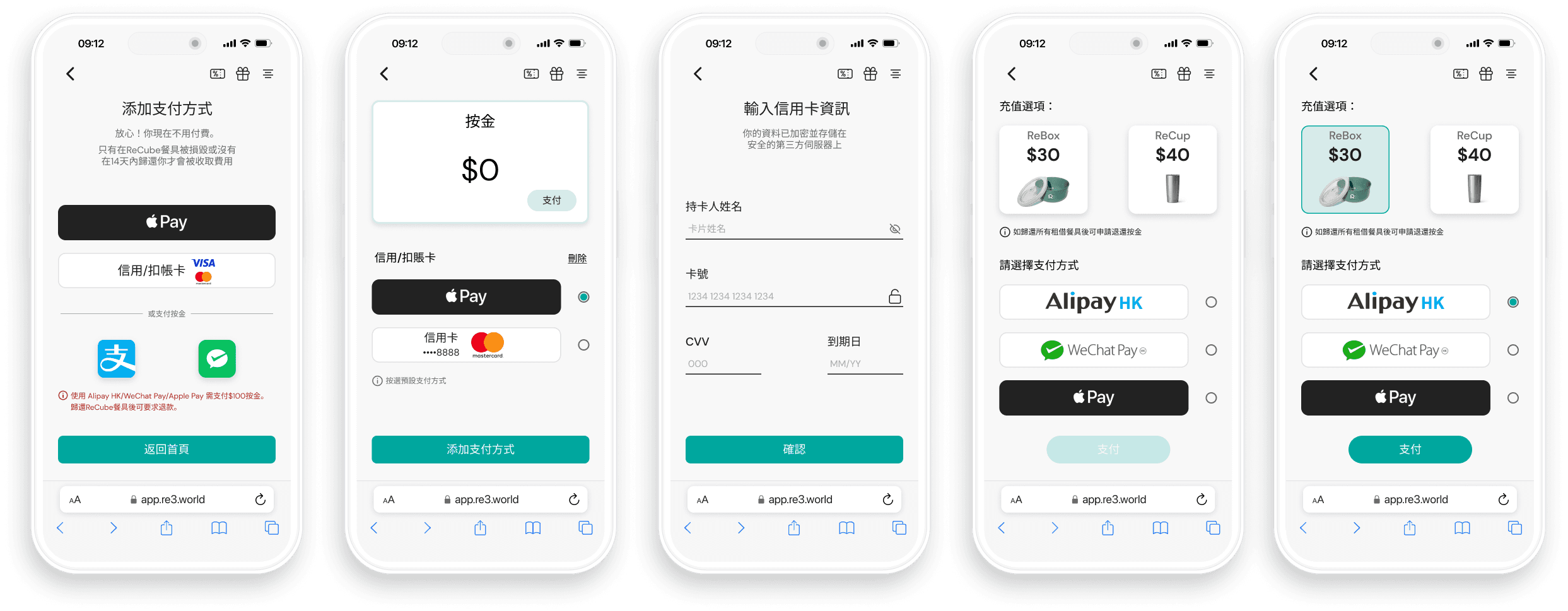
Makes deposit or add credit/debit Cards
What's Next?
Conversion Rate
With the new design where user can now easily add payment through Apple Pay, with clear explanation on the operation. We can observe if there is an increase number in user who take the desire action, which is start using the service by adding payment method.
Task Success Rate
This KPI metric can measure whether user successfully adopted the new user flow in borrow/return process